
We’re not just building websites or apps, we’re creating something that touches people’s lives, meets their needs, and gives them an enjoyable and seamless experience.
But let’s be honest, there are times when even the best of us need a little extra help.
No matter how hard we try, there are moments when we need the right tools to ensure our story flows flawlessly.
And this is where AI tools step in to make our lives easier.
AI tools are like a creative companion for designers. They quietly take care of the heavy, time-consuming tasks behind the scenes, letting us focus on the parts that truly need creativity and a human touch.
In this article, I’ll discuss 10 top AI tools that have become essential to my workflow.
Framer AI — Building Dreams Fast
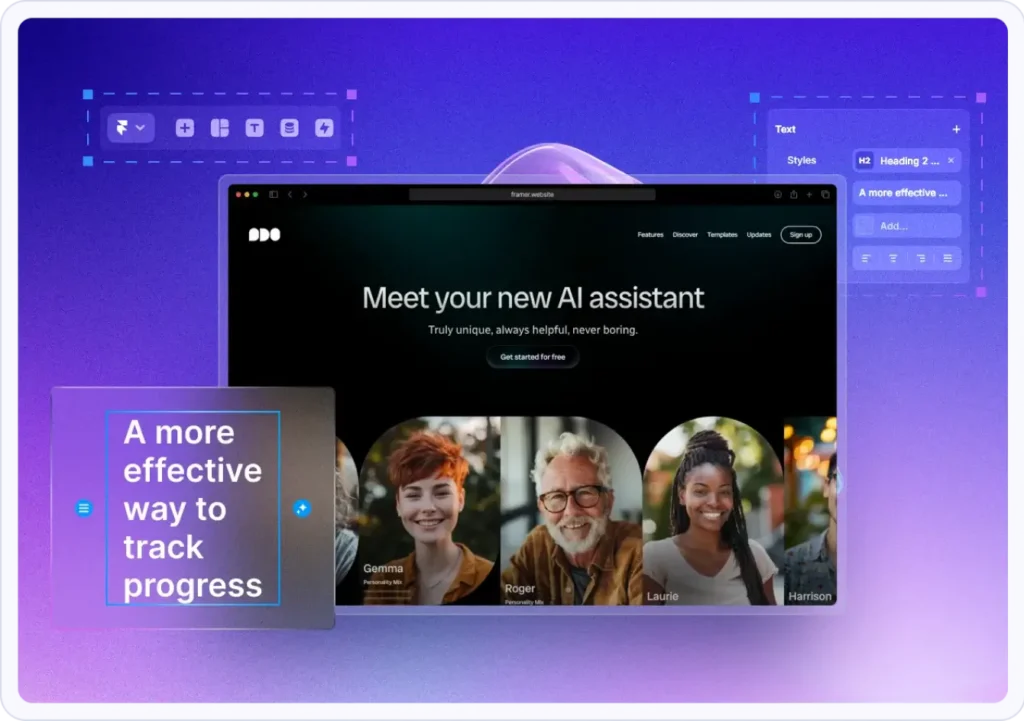
Let me tell you about a time when I was working with a client who needed a SaaS website ready in just a week, and my developer wasn’t available that time.
Their start-up was about to launch, and everything hinged on having a professional, fully functional site.
The pressure was immense, and I thought, “How on earth am I going to pull this off?” That’s when I turned to Framer AI.
Framer’s ability to design, like in Figma, generate, and publish websites in minutes using AI-generated prompts made all the difference.
I quickly set up a structure that allowed me to focus on tweaking the details and making the user journey smooth and intuitive.
The client?
They couldn’t believe how quickly I was able to deliver something so polished.
And honestly, neither could I!
Framer took care of the layout and components, and I got to focus on making the experience just right for the users.
How it helps:
- Accelerates website creation.
- Provides a strong foundation, allowing designers to focus on personalization.
- Perfect for when time is limited but quality is still non-negotiable.
2. Uizard — From Hand-Drawn Ideas to Reality
A few months ago, I worked with a small non-profit organization that needed a mobile app to help connect volunteers with local projects.
The only problem?
Their budget didn’t allow for a long design phase, and we had just a rough sketch of what they wanted. Enter Uizard.
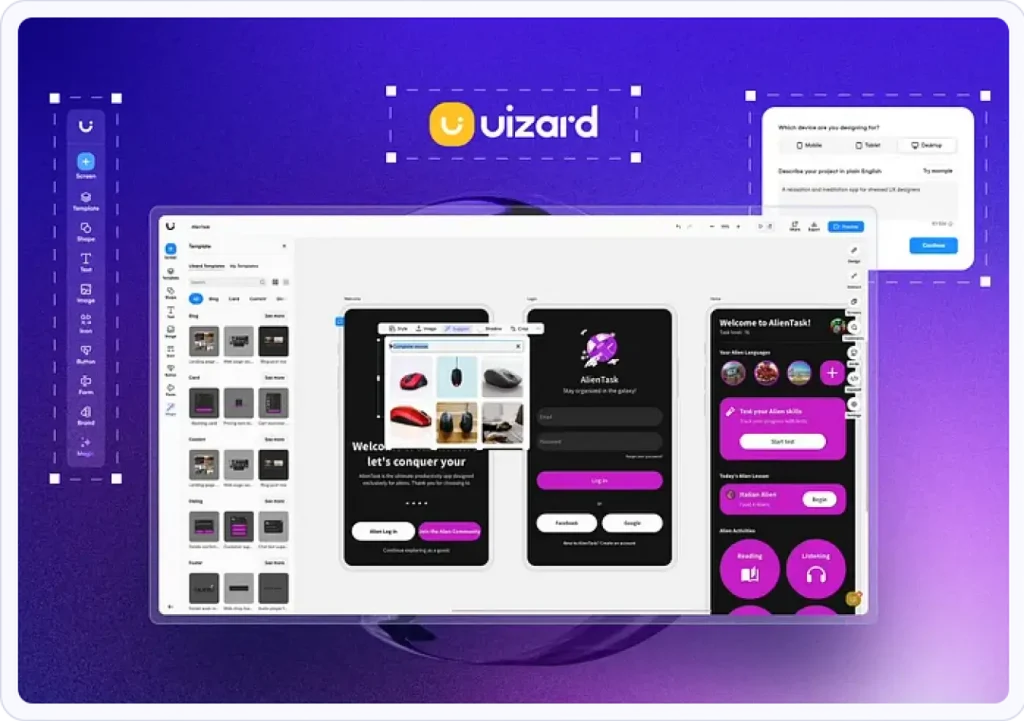
With Uizard, I was able to turn their hand-drawn wireframes into a fully interactive prototype in no time. The tool took those initial ideas and helped shape them into something tangible.
Are you effectively managing tasks across different teams, languages, or global time zones?
It saved us so much time, and the best part was seeing the team’s reaction when they realized their dream had quickly turned into something real.
How it helps:
- Transforms rough ideas into prototypes.
- Predicts layouts based on design trends.
- Saves time by skipping the manual conversion process.
My Final Thoughts
If you came to this far, you already realize that each of these tools played a crucial role in different projects, and they’ve become an integral part of my design process.
They don’t replace creativity, but they do give me the space to focus on what really matters:
crafting meaningful, user-centered experiences.
Whether it’s automating repetitive tasks, generating insights, or helping with rapid prototyping, these tools are there to support you every step of the way.
Just remember, every project is different, and so are the tools you’ll need.
But with these AI tools in your arsenal, you’ll always have the right one for the job.